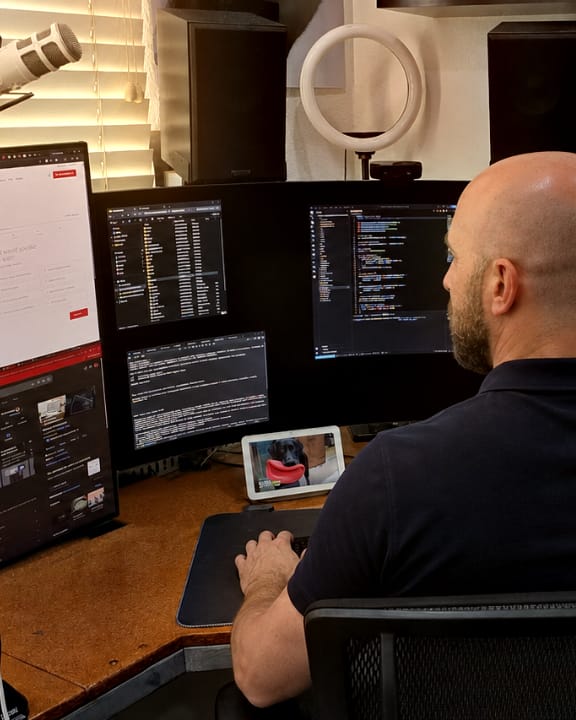

Lighthouse, PageSpeed Insights, and Axe audits.
Each new website gets checked by these auditing tools. They check accessibility, speed on phones and computers, search basics, and coding best practices.
Services · ADA compliance & accessibility
Many practice and business websites have accessibility problems their owners don’t know about. InfoStar builds accessibility into new websites and audits the entire site before it goes live.
Call or text 916-988-2323.
Accessibility
People use screen readers, zoom, voice control, and keyboards to get around the web. When a phone number is hard to read, or a form can’t be completed without a mouse, those visitors can’t reach you.
Website accessibility lawsuits are filed under the Americans with Disabilities Act (ADA). Seyfarth Shaw counted 3,117 in federal court in 2025, up from 2,452 in 2024.
Common problems
WebAIM tests the home pages of the top one million websites each year. In 2026, 95.9 percent had accessibility errors that an automated tool could detect.
Most of those errors fall into a few familiar groups. Here is how they tend to look on a business or practice website.
Pale text, light buttons, or a phone number placed over a photo. WebAIM found low-contrast text on 83.9 percent of home pages.
Team photos, before-and-after cases, and banners a screen reader can’t describe. WebAIM found missing descriptions on 53.1 percent of home pages.
Contact and appointment forms that rely on hint text that disappears as you type. WebAIM found unlabeled fields on 51 percent of home pages.
Navigation, booking tools, and chat windows that can’t be reached or closed with a keyboard.
Rotating banners and autoplay video without a way to pause them.
Hours, specials, or insurance information posted as an image can’t be read aloud or enlarged cleanly.
Try it yourself
These quick checks won’t find everything, but they show how your website works for someone who doesn’t use a mouse or can’t see the screen clearly.
Can you see where you are on the page, and can you reach the menu, your phone number, and your appointment request with the keyboard alone?
Text should get larger without overlapping, disappearing, or making you scroll sideways to read it.
Your phone number, buttons, and headings should be easy to read wherever they sit, including on a phone in daylight.
Turn on VoiceOver on an iPhone or TalkBack on Android. Photos, buttons, and links should make sense when they are read aloud.
Tools such as PageSpeed Insights and WAVE flag many common problems. They can’t catch everything, so a clean result is a good sign, not a guarantee.
Want us to check it for you? Request a free accessibility audit.
Free accessibility audit
Already have a website? Send us its address and we’ll review it for free. We check your home page, your contact or appointment page, and one service page with Lighthouse, PageSpeed Insights, and Axe. Then we go through those pages with a keyboard and check the menu, the appointment form, the contrast of your phone number and buttons, image descriptions, and form labels.
Within 3 business days, you’ll get a plain-language summary by email of what we found, starting with what matters most to your patients.
It’s a review, not a legal certification. There’s no obligation.
Call or text InfoStar Productions LLC
Mon–Fri 8am–5pm PT. You’ll reach our team directly.
Accessibility widgets
An overlay is a script added on top of a website after it’s built. It doesn’t change the code underneath, and accessibility depends on that code: the headings, form labels, color contrast, image descriptions, and keyboard behavior.
In 2025, the Federal Trade Commission ordered an accessibility-widget company to pay $1 million over claims that its tool could make any website compliant. Read the FTC announcement.
Using a widget also doesn’t prevent lawsuits. In September 2026, 91 of the 360 businesses sued over website accessibility were already using one, according to UsableNet’s lawsuit tracker.
InfoStar addresses those elements in the website itself, during design and development.
How we build it in
InfoStar Productions LLC is a digital agency in Orangevale, California. We have worked with dental practices since 1993 and built websites since 2000, and we design and develop our sites directly rather than on WordPress.
We plan navigation, headings, forms, labels, contrast, and image descriptions with screen readers, keyboards, and different visual needs in mind. The same accessibility work goes into a quick-launch site and our largest platforms.
Our technical reference is the current version of the Web Content Accessibility Guidelines (WCAG 2.2), the W3C’s standard for making websites usable by people with disabilities. New dental websites also include an accessibility statement page.
Accessibility is ongoing work as content and features change. Automated tools alone cannot establish conformance or guarantee legal compliance.
Headings, labels, and page regions in an order that makes sense read aloud.
Text and buttons you can read on the background they sit on, including over photography.
A clear outline shows where you are as you move through links and controls with a keyboard.
Meaningful images get a written description, and decorative images stay out of a screen reader’s way.
Menus, forms, and controls are tested for keyboard operation before launch.
Before launch
Each new website gets checked by these auditing tools. They check accessibility, speed on phones and computers, search basics, and coding best practices.
We also go through the website ourselves. We use it with a keyboard alone, test the links and the error messages on forms, and read the pages for problems the tools can’t find.
An audit is a review. It is not a legal certification or a guarantee of ADA compliance.
A dental website we built
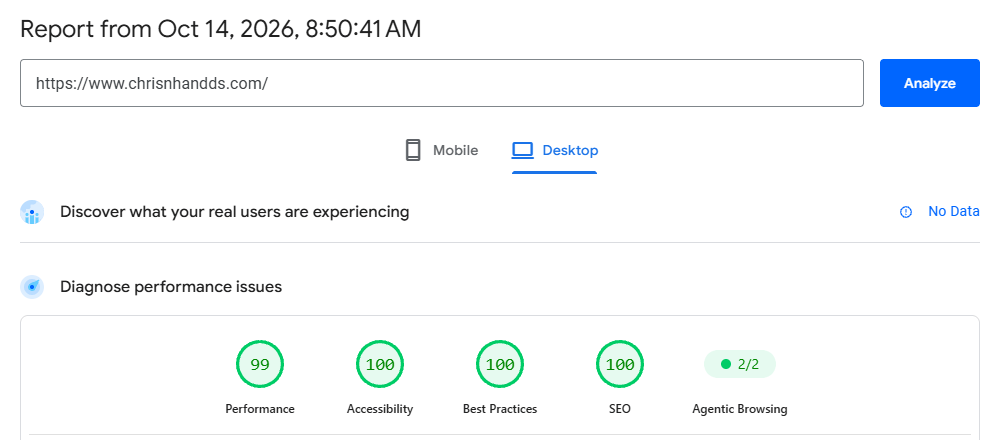
Google’s PageSpeed Insights scored the home page of chrisnhandds.com 99 for performance and 100 for accessibility, best practices, and SEO.
Our internal audit tool runs Axe on each page of the website. The pages shown had zero violations.
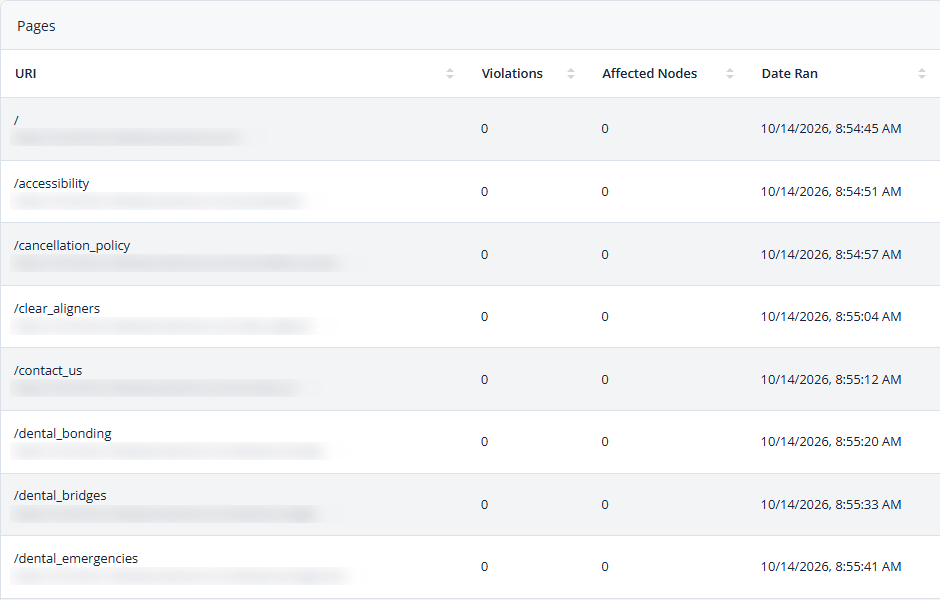
Every new website goes through these accessibility audits before launch. Scores can change as content and testing tools change, and automated results alone do not establish conformance.
New InfoStar websites
Accessibility work and the launch audit are part of a new InfoStar website. They cover the design, code, and content InfoStar creates.
Tools and files from other providers, such as online booking, chat and review widgets, and forms hosted elsewhere, are built and controlled by those providers.
The Americans with Disabilities Act (ADA) applies to businesses open to the public, and the U.S. Department of Justice says that includes their websites. The ADA doesn’t set detailed technical rules for business websites, so WCAG is the standard most often used to measure accessibility.
The Web Content Accessibility Guidelines (WCAG) are the W3C’s technical standard for making websites usable by people with disabilities. Level A covers the basics and Level AA adds more. Version 2.2 is the current version.
Not on its own. An overlay sits on top of the site and doesn’t change the code underneath, and accessibility depends on that code.
Start with the quick checks above, or request a free accessibility audit. Automated tools catch many issues, and a manual review with a keyboard finds problems that tools can miss.
No. We build accessibility into the design, code, and content of new websites. Before launch, we audit the entire site and work to raise its scores as high as we can in the parts we build. The audit is a review, not a legal certification. Third-party plug-ins, widgets, code snippets, PDFs, and videos can also affect a website’s accessibility score, and those are outside our control.
For legal questions, yes. Talk to your own attorney. We can explain how our websites are built and tested, but we can’t tell you what the law requires of your business.
Free consultation
Tell us about your practice or business and what your website needs to do. We’ll explain what a new, accessible website would include, along with pricing and timing.
Already have a website? Request a free accessibility audit.
Call or text InfoStar Productions LLC
Mon–Fri 8am–5pm PT. You’ll reach our team directly.